AWS Onboarding
Introduction
This guide is the starting point for connecting AWS to the Xshield Cloud Connector. Choose your path:
| Path | What you get | Best for |
|---|---|---|
| Automated (Interactive or Script) | Resources and traffic visibility. The stack and portal/script handle the cross-account role and, when you enable flow logs or X-Ray, grant access from the portal or by re-running the script. | Most users. One straightforward flow: connect the account, then enable flow logs to S3 and grant access (portal or --storage-access); enable X-Ray in your services as needed. |
| Manual (Console-based) | You create the cross-account role and policies yourself in the AWS Console. Traffic visibility requires separate steps: you add S3 (and optional KMS) permissions for the flow logs bucket to the role, and enable X-Ray in your services. | Teams that need full control, auditability, or compliance with manual, documented steps. |
- Automated: Complete Steps 1–3 with Interactive or Script-based onboarding, then enable VPC Flow Logs and X-Ray as needed—granting storage access is done via the portal or script.
- Manual: Complete Manual (Console-based) resource discovery, then follow the Manual sections in VPC Flow Logs (Step 4) and X-Ray Traces to add permissions and enable tracing.
Prerequisites
Before you begin, ensure you have:
- Active AWS account with administrative access
- An IAM principal (user/role) that can create and manage IAM roles and policies
- Active Xshield account with access to the management portal
Resource Discovery
Connect your AWS account by following Steps 1–3 and choosing one method in Step 3. The method you choose determines how you grant access to the flow logs bucket later (see VPC Flow Logs).
Step 1: Navigate to Cloud Connector
- Log in to the Xshield management portal
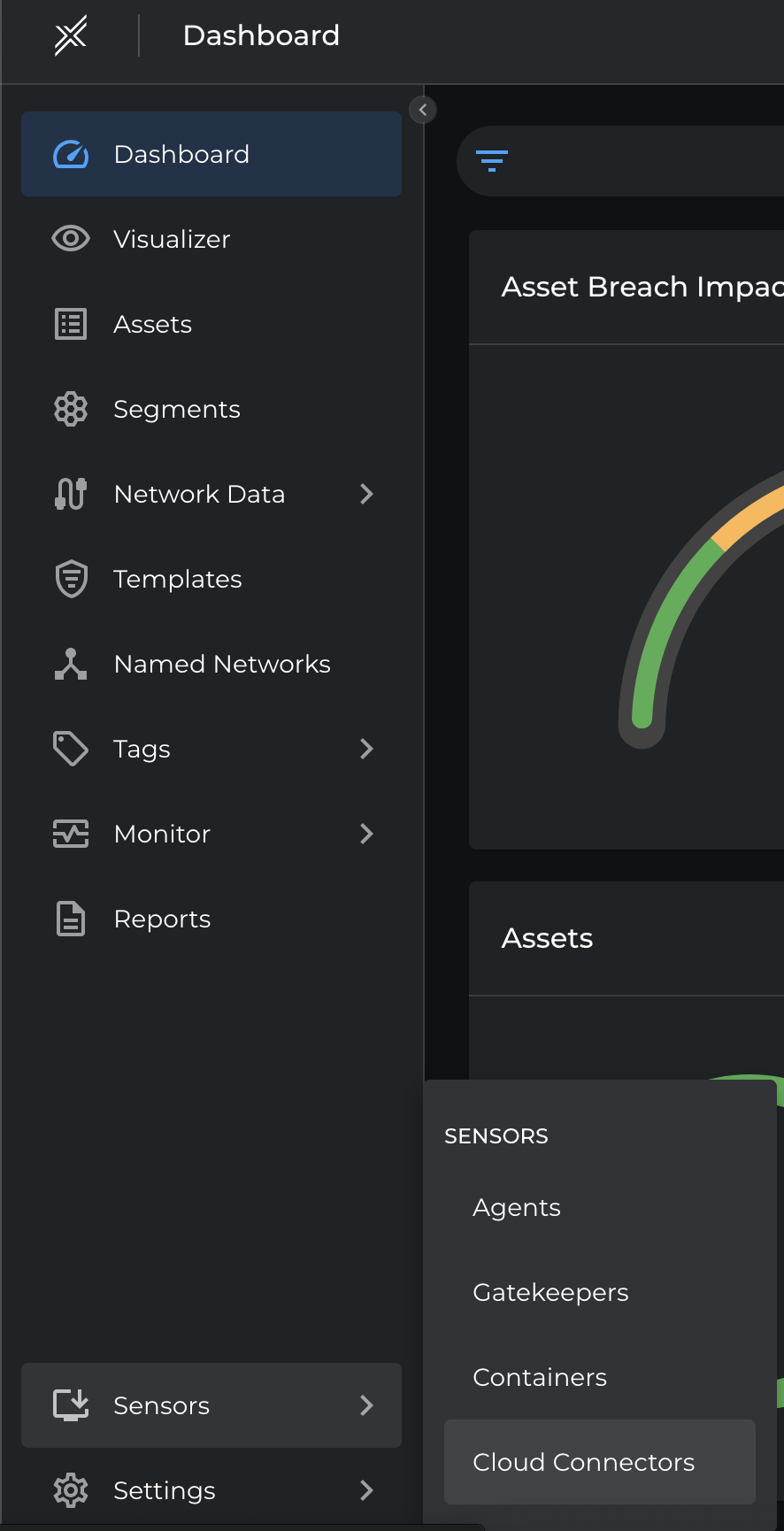
- Navigate to Sensors in the left navigation menu
- Select Cloud Connector
Step 2: Start AWS Onboarding
-
Click Connect to begin onboarding.

-
Click Connect Account next to AWS.

Step 3: Connect AWS Account
Choose one of the following methods. Each guide describes when to use it and the full steps (including screenshots).
- Interactive — Automated. CloudFormation stack and permissions deployed from the portal. For flow logs, grant storage access from the portal when you enable VPC Flow Logs.
- Script-based — Automated. Deploy via a downloadable script. For flow logs, re-run the script with
--storage-accesswhen you enable VPC Flow Logs. - Manual (Console-based) — Manual. Create the role and permissions yourself in the AWS Console. For flow logs, you will add S3 (and optional KMS) permissions to the role—see the Manual section in VPC Flow Logs.
Traffic Visibility
After your account is connected, enable traffic visibility so Xshield can show network and application trace data:
- VPC Flow Logs — Enable VPC Flow Logs, deliver them to S3, and grant Xshield access to the flow logs bucket. Interactive/Script: grant from the portal or re-run the script with
--storage-access. Manual: add S3 (and optional KMS) permissions to the role (Step 4 Manual in the guide). - X-Ray Traces — Enable AWS X-Ray in your services for application trace visibility. Same steps for all methods; the cross-account role already has the required permissions for Interactive and Script; for Manual, ensure your role includes X-Ray read permissions.