Siemens IAH
Overview
Siemens Industrial Asset Hub (IAH) is a scalable, open and secure SaaS that discovers, identifies and manages OT devices across an industrial enterprise – regardless of vendor or device type. Using an on-prem Asset Gateway and vendor-specific Asset Links, it automatically scans networks, collects status and inventory details (order number, serial number, MAC addresses, firmware / software / hardware versions, etc.) and sends them to the cloud service.
IAH exposes this rich inventory through a web dashboard and a well-documented REST API. Xshield consumes the API, maps the discovered attributes to core tags, properties and system attributes, and keeps them updated on every scheduled sync. This gives you up-to-date visibility of industrial assets and lets you create segmentation policies or risk views without manual data entry.
Prerequisites
Siemens IAH
- A Siemens IAH tenant.
- Client ID and Client Secret from Siemens IAH.
Xshield
- Admin role to enable the integration.
Integration
-
In Xshield, open Integrations and select the OT/IoT/IT category.
-
Click Activate on Siemens IAH.
-
In the Siemens IAH Credentials section enter:
- Client ID – from Siemens IAH.
- Client Secret – from Siemens IAH.
-
The Access Token Endpoint and Asset API Endpoint fields are pre-populated with the correct cloud URLs. Do not change these values unless instructed by ColorTokens support.
-
In the Target Asset Types section, select the types of assets for which you want to import data:
- Devices – Import for Gatekeeper's managed & unmanaged assets.
- Servers – Import for Server assets.
- Endpoints – Import for Endpoints assets.
-
Click Test to validate the credentials. If the test succeeds, click Save.
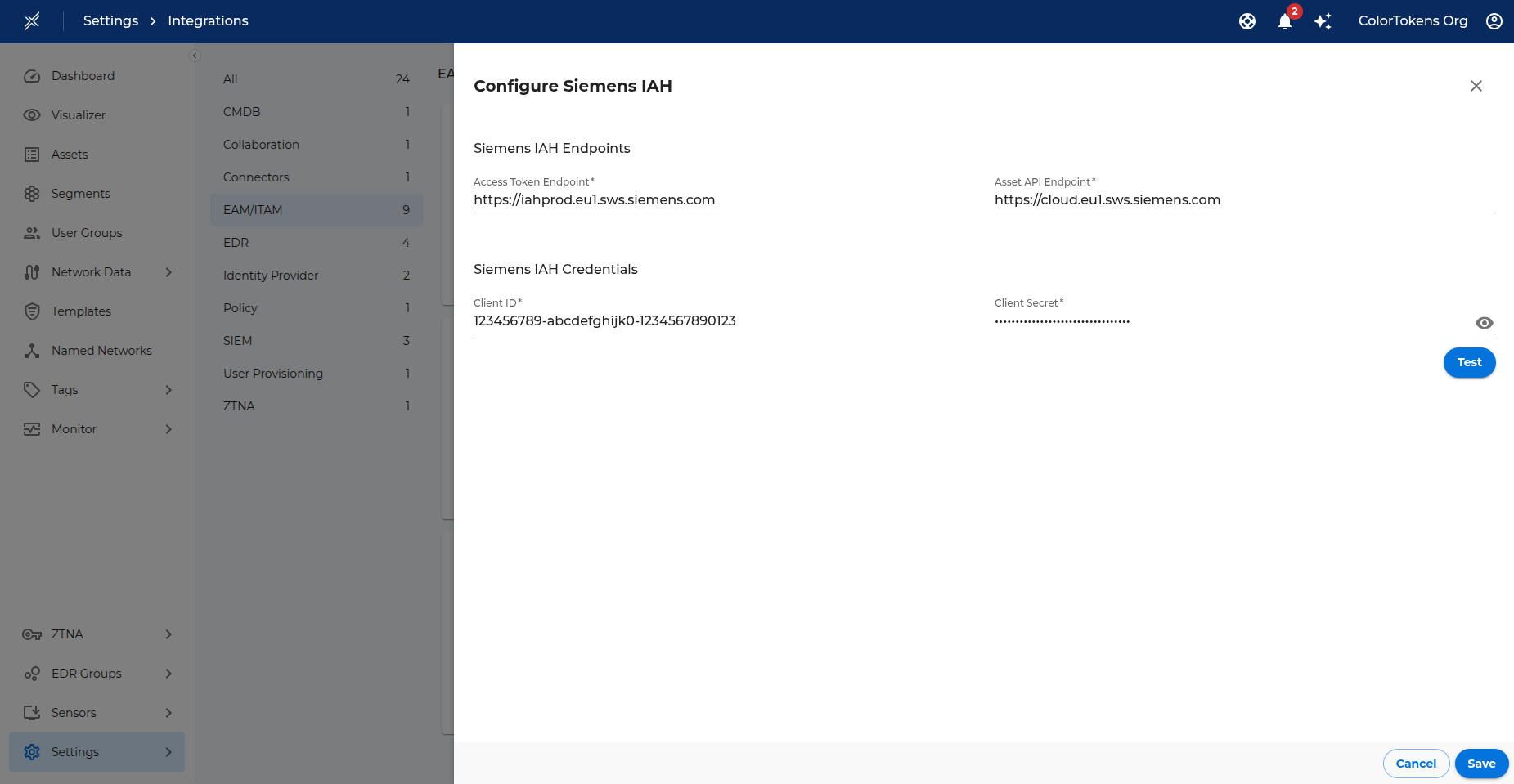
-
A message is logged under Monitor > Logs confirming activation.
-
Once enabled, Xshield immediately initiates a sync job to fetch asset information from Siemens IAH. After the initial sync completes, Xshield schedules a job every 24 hours to update asset information from Siemens IAH.
Attribute Mapping
Note: Only devices whose MAC address matches an existing Xshield asset are updated.
Core Tags
These core tags can be used for searching and creating segments.
| Siemens IAH Attribute | Xshield Core Tag |
|---|---|
| Manufacturer name | Manufacturer |
| Product ID | Model |
| Category (derived from Product ID) | Category |
Sub-category (derived from Siemens Article ID or @type) | Subcategory |
The device Serial Number is stored in the Xshield Serial Number attribute.
Properties
All key–value pairs in Instance Annotations are saved as Xshield properties with the same key name. In addition, a property id is added containing the Siemens asset ID. These properties can be used to create tag rules